CalStats - Automatic statistics based on my calendar
 Micke Kring
·
·
2 min read
Micke Kring
·
·
2 min read
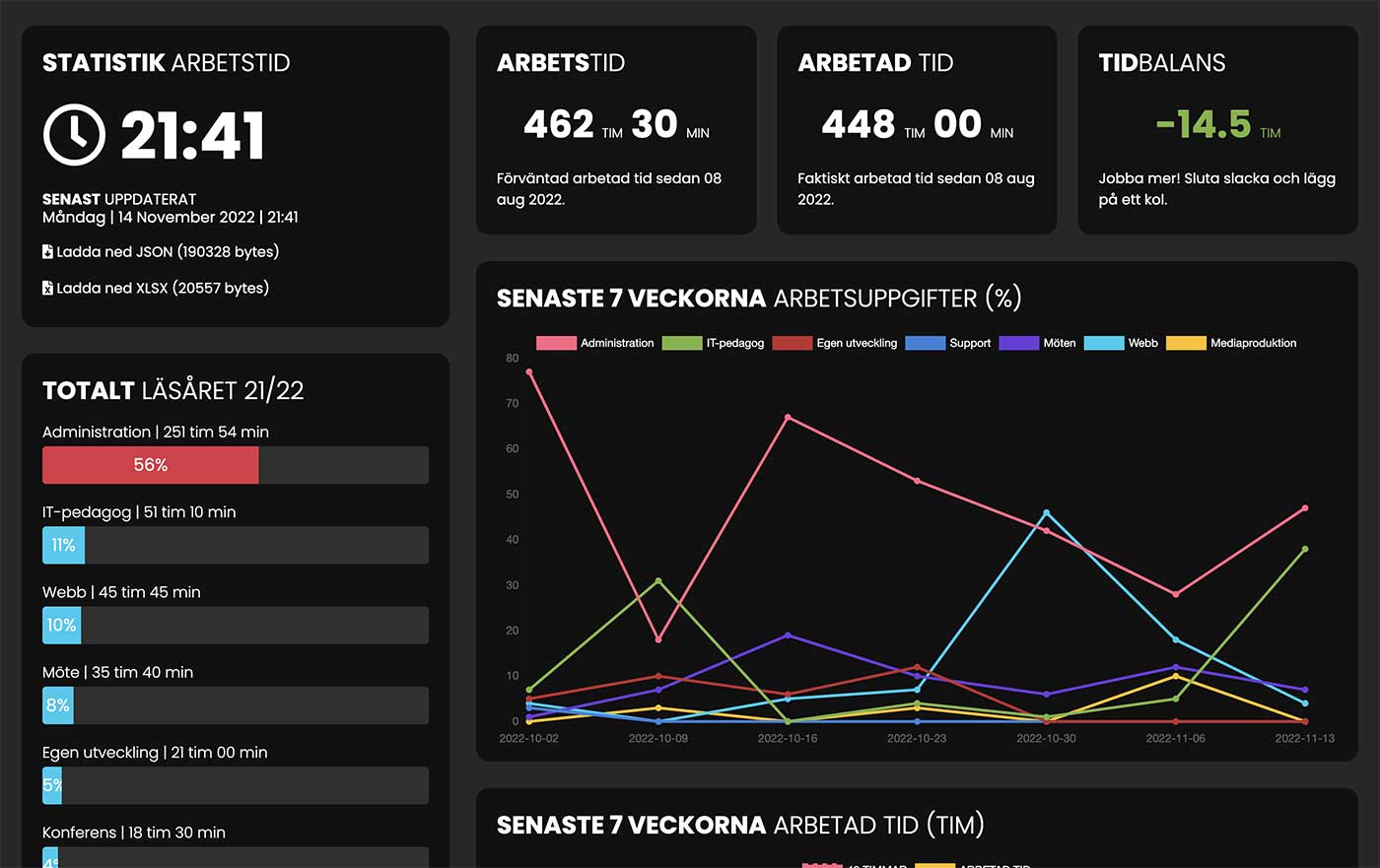
I like keeping track of how I spend my time at work — and as you may have seen, I always finish my work years by visually compiling statistics and doing an analysis. I’ve done this manually by adding up time from my calendar, entering it into Excel and finally making charts in Keynote. Until now. I’ve long thought about automating this, but now I actually did it.
For one thing, I don’t have to wait until the year is over to see whether I’ve spent my time the way I intended — I can follow this in real time. It also saves me a ton of time and frustration over a lot of tedious work and it should be a bit more accurate. Above all, though, I hope it will help me plan what I’m doing a little better, and also make sure I don’t work too much.
Basic assumptions
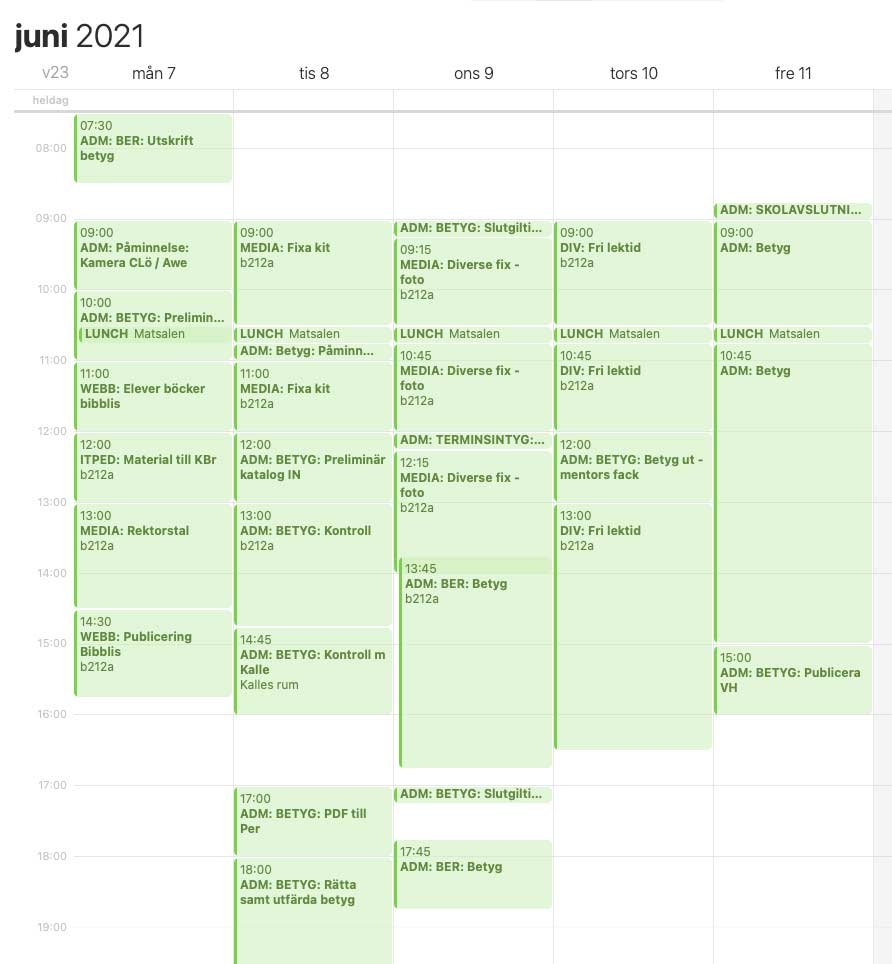
The basis is my calendar. A public Google Calendar. Everything is planned and adjusted afterwards if needed. To be able to add up the time, I came up with my own prefixes that I name my calendar events with. For example ADM: for administration, WEBB: for web, UTV: for development time, and so on. I’ve thus categorized the biggest parts of my job. In the image below you can see an excerpt from a work week.
Script
Instead of me sitting and manually adding this up, I wrote a Python script that does it for me and uploads everything to a webpage. The script simply looks through all my calendar events for these category prefixes, sums them up and calculates some percentages and similar metrics.
If you want to see how it looks, my statistics are completely open at mickekring.se/stats/time2/ If you’re interested in the script you can find it on GitHub at github.com/mickekring/CalStats
At the time of writing (v 1.0) percent time is shown for an entire reporting year (the date you set), task percentage time for the last 7 weeks, and worked time for the last 7 weeks. Going forward I plan to add upcoming weeks as well as some other ideas.
PS. Remember that I’m not a coder, just someone who likes building things. :)