Kring|Ping site checker - evening coding keeps an eye on your sites
 Micke Kring
·
·
3 min read
Micke Kring
·
·
3 min read
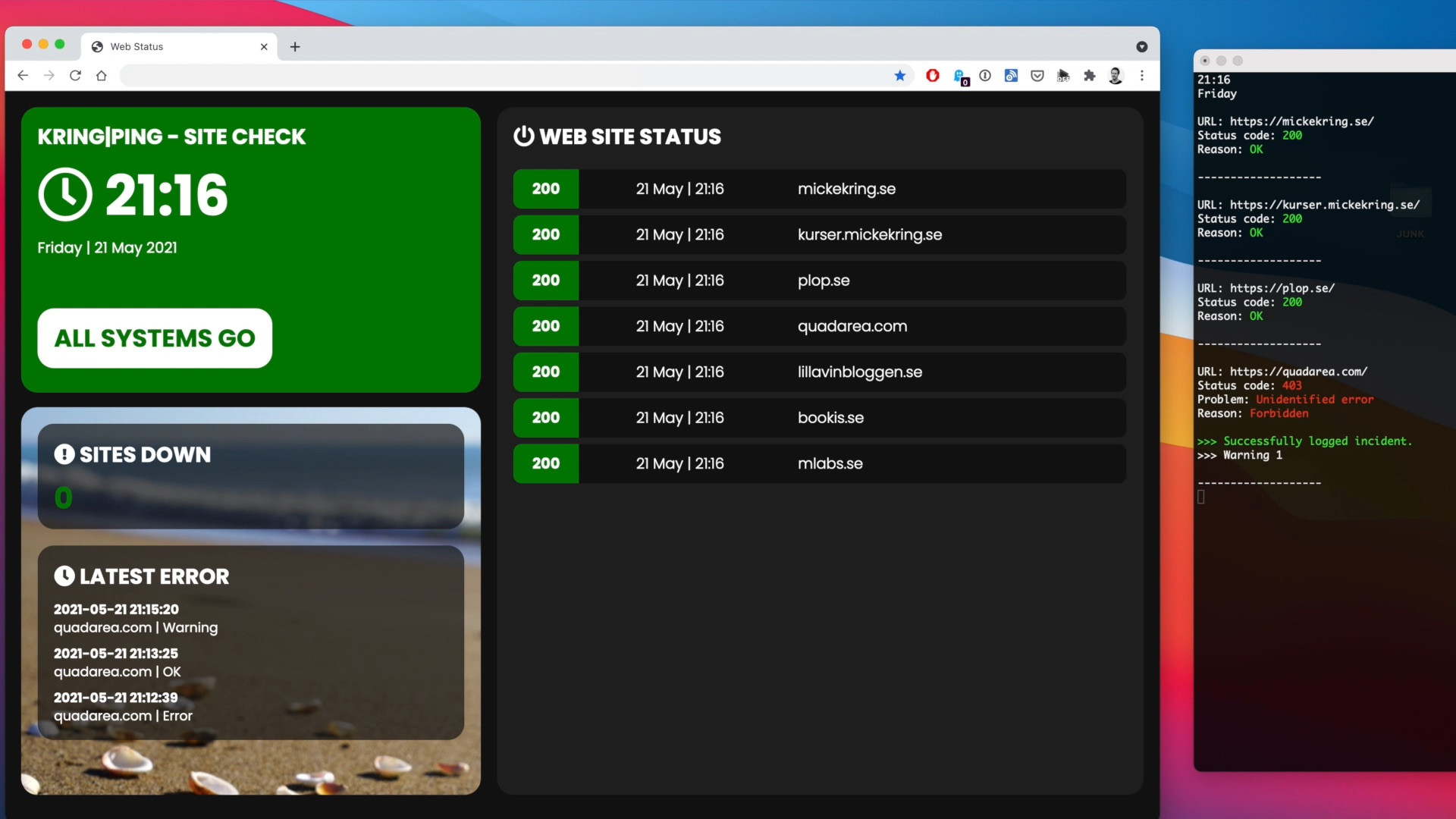
If you, like me, run about 20–30 sites and want to keep an eye on whether they’re up or down and get some statistics on this, there are lots of good services on the market you can buy. But if you, like me, also enjoy doing a bit of hobby coding, you build your own such service. Of course not nearly as good as the professional ones, but fully functional and perfectly sufficient for my needs.
I created the basis for this Python script about 1.5 years ago and you can read more about it here. It has been running fine, but now I felt it was time to develop it further and add some foundations for upcoming functionality, such as saving data to a database and a simple frontend.
How does it work?
In the video above you can see what happens when a site doesn’t respond. In the browser on the left you see the frontend. It goes from green (ok), to yellow (warning), to error (red) and then back to green when the site is up again. On the right in the terminal you see what happens on the server side. You also see the email I receive notifying me that the site is down.
The main loop in the script
- The Python script checks whether there is an internet connection
- The script then tries to connect to your sites using the requests module in Python
- If a site does not respond, or responds with an error, this is logged in the database and a warning flag is set on that site. Before an error is recorded, the script will test the site two more times
- If a site with a warning flag fails a third time, an email is sent to me notifying that the site is down and this is logged in the database
- If a site has been down previously but is now back up, an email is sent that the site is up and it is logged in the database
- The script uploads the PHP files to your web server
- Repeat
What do you need?
The project consists of two parts. The Python code runs on a computer, in my case a cheap Raspberry Pi 3 — and then you need a web server where you want to upload the PHP files that the script creates for your frontend via SFTP.
Where can I find the code?
You can find the project on github.com/mickekring/KringPing Components: Python, Bootstrap
Disclaimer
I just cowboy-build code and I’m a real beginner. However, I enjoy learning new things and these projects are my way of learning. As long as it works, that’s good enough for me. :)