Ragnar - the app that transcribes audio and video in a slow but GDPR-compliant way
 Micke Kring
·
·
4 min read
Micke Kring
·
·
4 min read
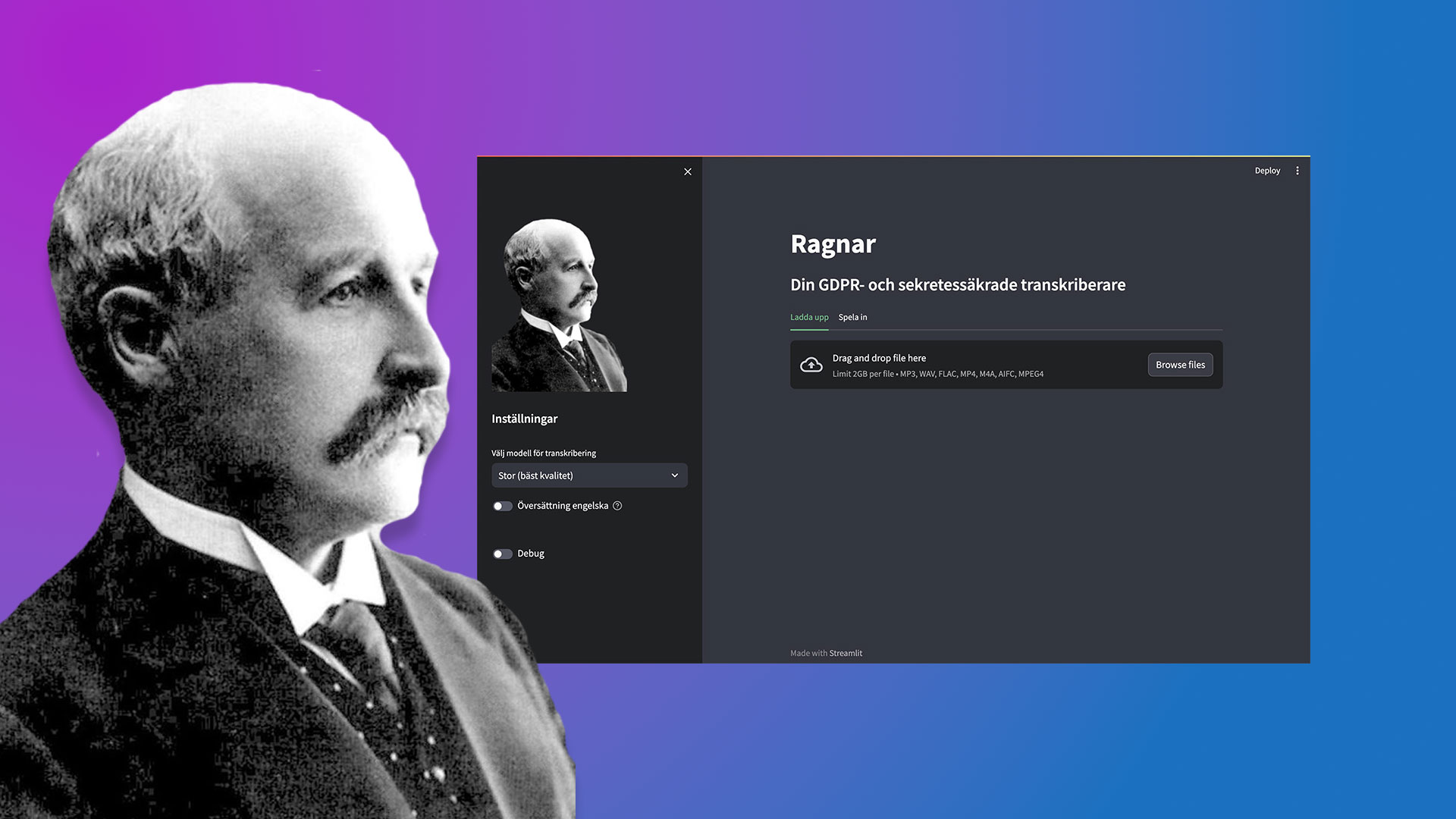
Transcribing a bunch of audio or video recordings? Would you rather have AI do the job for you? Are you okay waiting a couple of hours, up to a working day for a result? Then Ragnar is the answer! Ragnar is completely safe from a GDPR and confidentiality perspective. Ragnar lives only on your computer or on your server and doesn’t talk to anyone on the internet.
My colleague Björn Flintberg (at RISE) and I are currently building a prototype of a transcription service. Many need the ability to have, for example, researcher interviews and similar transcribed, but cannot use public services for various reasons. The idea behind Ragnar is a super-simple app that basically does one thing and that nobody can get wrong. Ragnar can also be installed on any computer and the only difference is that a newer computer delivers results faster than an older one.
How does Ragnar work?
All you need to do is drag and drop an audio or video file onto Ragnar and it will transcribe it. You can also choose whether you want a translation into English. The result you get comes in the form of various files such as text, Word, json and srt (subtitle file for film). You can also record audio directly in Ragnar.
The technology behind it?
Ragnar is coded in Python with Streamlit. For transcription, Whisper (from OpenAI) and Kungliga Biblioteket’s further development of Whisper, which is trained on 50,000 hours of Swedish speech, are used. Whisper is Open Source and is downloaded to your computer. Stable Whisper handles time-stamping and similar. As mentioned, you can run your Streamlit app on your computer and if your network allows, other devices on your network can connect to your computer and use the app. Like a small mini-server. You can also deploy Streamlit apps via Docker and similar.
Easy installation of Ragnar for Windows
If you want to install Ragnar but don’t feel completely confident about how to do it, you can try this instruction I made where I guide you step by step. Contents of the video
- Install Python 3.11
- Download Ragnar from mickekring.se
- Unpack Ragnar and move it to C:
- Open the command prompt and install Python modules
- Start Ragnar for the first time to see that everything works
- Create a shortcut to Ragnar which we’ll place on the Desktop
Tips and tricks
- Do one step at a time and pause the video
- Make sure you spell everything correctly when you type your commands
- It does NOT work to install Python from the Windows Store
- If ‘pip install -r requirements.txt’ doesn’t work you can try pip3.11 install -r requirements.txt
- If ‘python -m streamlit run app.py’ doesn’t work you can try python3.11 -m streamlit run app.py
Download
» Download Ragnar - version 0.7.4 (with Kungliga bibliotekets Whisper) » Download Ragnar version 0.6.1
In the file you download I have included FFMPEG so you can skip that extra step. Otherwise this version of Ragnar is the same as what you can download from GitHub, but not always the latest version. ! Don’t forget to always scan downloaded files from the Internet for viruses. Even those that come from me.
Download and install Ragnar on Mac, Linux and Windows
On github.com/mickekring/ragnar you can find all the code as well as instructions for running Ragnar. Keep an eye either here or on GitHub for updates to the app. Here you will find the latest updates.
Updates
-
v0.7.4 | 21 mar 2025
- Partially rewritten. Make sure to update your pip packages from requirement.txt if you’ve already installed Ragnar
- Added KB (Kungliga Bibliotekets fine tuned Whisper) Whisper and reverted back to vanilla Whisper from OpenAI. Still all local
- Removed translation which a language model does a lot better
- Bug fix for windows users where they got “UnicodeEncodeError…”
-
v0.6.1 | 09 apr 2024 - update that fixes å, ä and ö on Windows
-
v0.6.0 | 29 dec 2023
-
v0.5.0 | 29 nov 2023