RoomCal - Automated availability display based on your calendar
 Micke Kring
·
·
3 min read
Micke Kring
·
·
3 min read
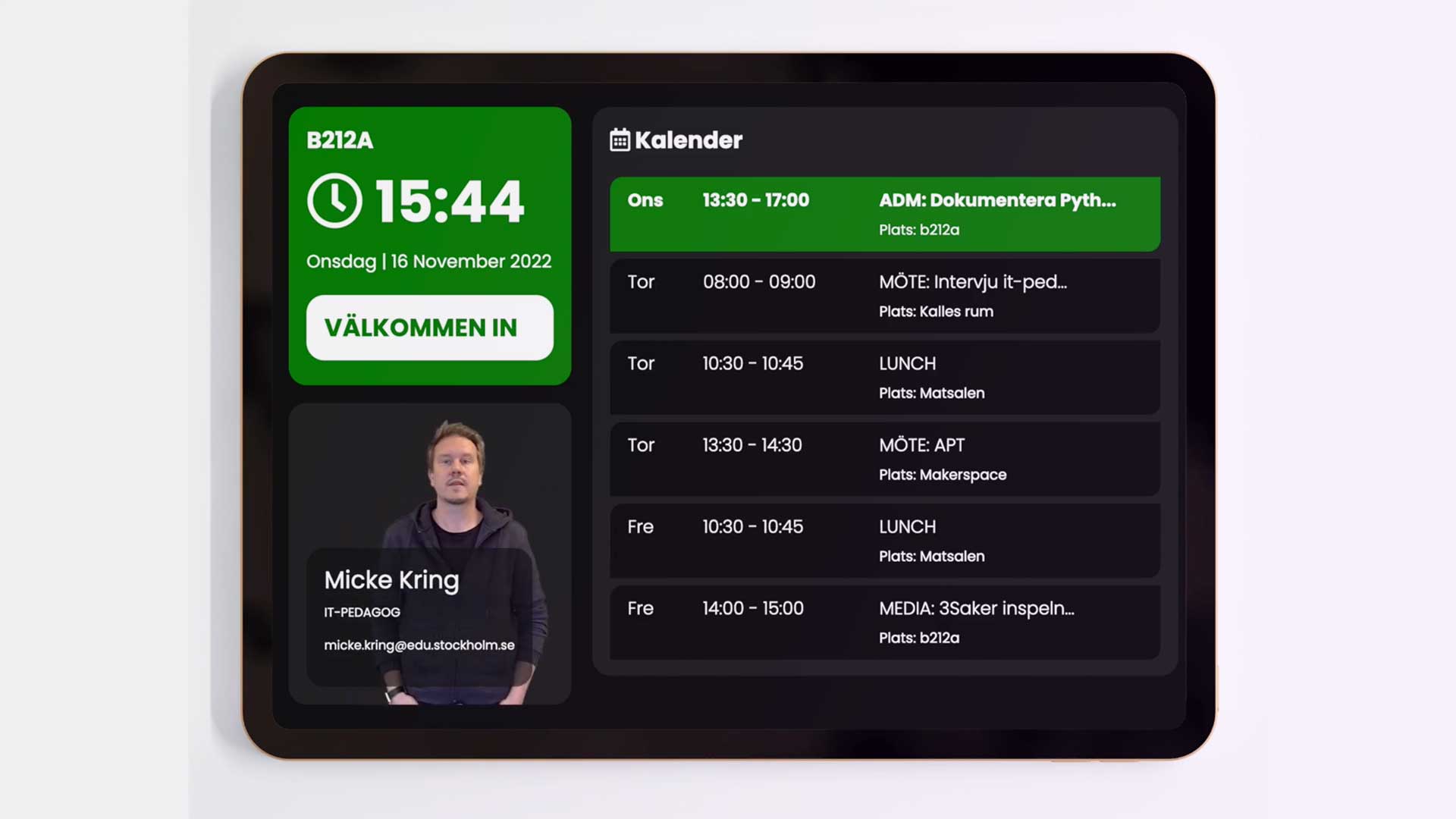
Since 2018 there’s been an iPad hanging in the window of my office door showing real-time information about what I’m doing, what I’ll be doing and where I am. It started once as a maker project based on the old “welcome - busy - come in” boxes that used to hang outside the principal’s office. Those of you old enough know what I mean. A few iterations in, I dropped the physical box and had the code read my calendar instead. Based on that, the screen shows my status.
What I’ve found to be the benefit of running this kind of display is partly the transparency — everyone knows where I am and what I’m up to at the moment. But above all I think it makes me seem more accessible, even with the door closed. I sit in the same corridor as Year 2 and nine-year-olds, and they can be noisy sometimes :) When it shows green, which it does more than 90% of the time, everyone knows they can just knock and come in. If it’s red I’m busy. And you know what? Not once has anyone walked in while it was red during these four years.
Of course you can see this from anywhere via the link mickekring.se/stats/room/b212a — so you don’t even have to guess whether I’m around or not.
Other small advantages are that it doesn’t cost anything. The display is an old recycled iPad that had been thrown away, and all the code runs on a Raspberry Pi that cost a couple of hundred kronor.
Perhaps the funniest thing is all the little students who stand and wave at me on the screen, since I play a video of myself instead of a photo (see video below).
Since I’m about to leave Årstaskolan, I’m now documenting the scripts I run and taking the opportunity to clean them up a bit. After that I’ll post them here and the code is linked on GitHub. My big disclaimer is still that I’m not a coder, just someone who solves my small problems with a bit of code. So don’t judge me as a person by the quality of my code.
Prerequisites
Public calendar
You need a public calendar, either a Google calendar or iCloud. I use iCloud myself. Since we run W365 with Outlook in the city, it wasn’t really possible to set this up for my principals.
Computer to run the code on
You need something to run the Python code on, which can be pretty much any computer, with any operating system.
Web server / Web hosting
The code builds a web page that it uploads via SFTP.
Some kind of screen
If you want to display this, you’ll need some kind of screen. It works with anything that has a browser. I’ve used old discarded iPads.
How does it work?
In short, the code reads your public calendar and looks for whether something is happening right now, as well as the next 6 events. It then looks for words in your current event and location, for example the word ‘meeting’ in the event together with the location ‘b212a’ (my office) — and if it finds that, it sets your status to ‘Busy’. At the end the code creates a web page (or parts of a web page) from everything and uploads it to your web server.
How do I get started?
Code and documentation are on GitHub at github.com/mickekring/RoomCal
Questions?
If you have any questions, get in touch, either in the comments here or directly with me.