Automated and robotic monitoring of student absences
 Micke Kring
·
·
5 min read
Micke Kring
·
·
5 min read
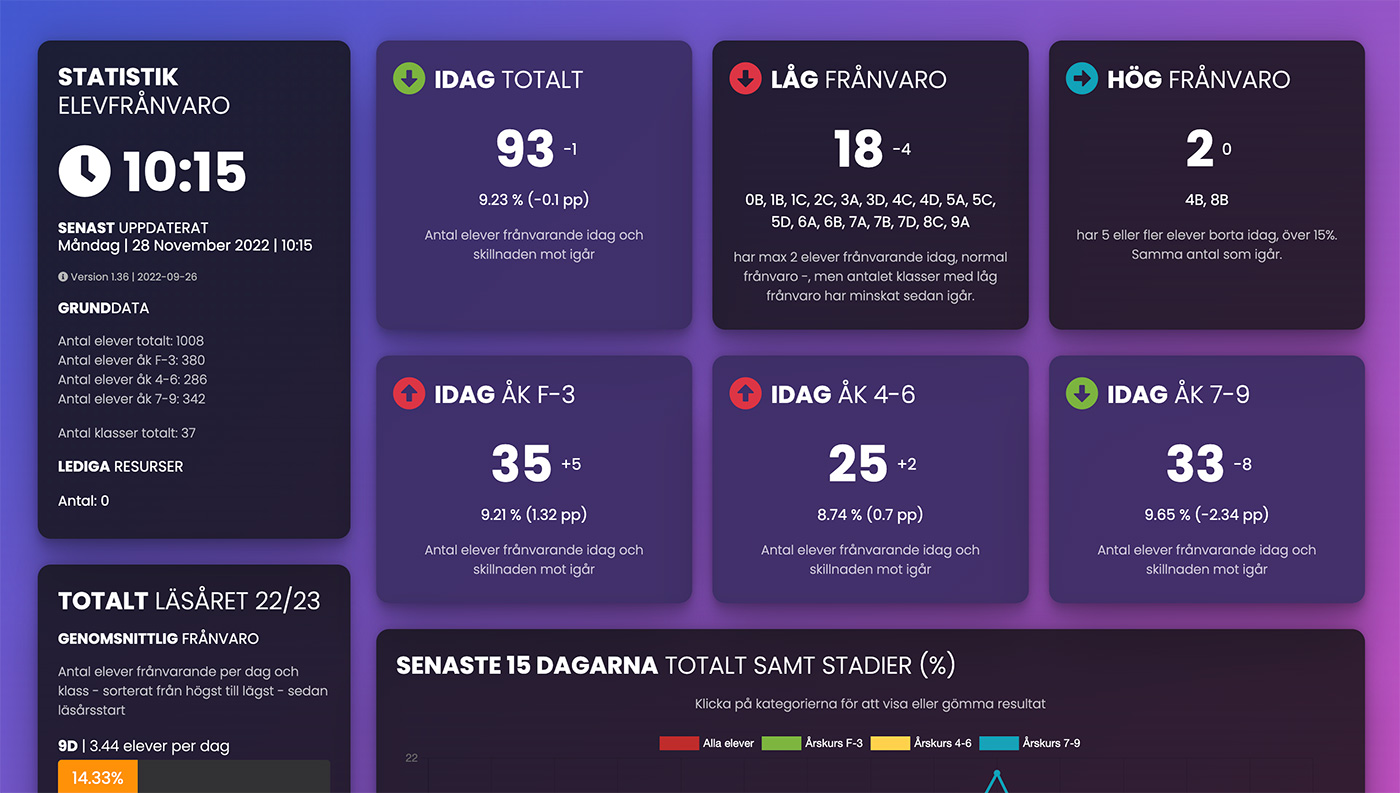
At the start of the pandemic it became clear that, as a school, we needed to keep track of current absences in the different classes in order to be quick to put measures in place. Since this functionality isn’t built into the platform we use, I started downloading the absence reports and entering them into an Excel file. I did that twice a week and it was pretty tedious to do and not particularly precise. Since it’s a task that looks the same every time it’s performed, I figured it would be perfect to automate.
I put together a script that controls the browser and clicks and does everything I as a human do. Simply put, the script opens the browser every 4 minutes, logs in and performs the 14 clicks to download the absence report as an Excel file. The Excel file is then processed and all information is saved in a local database. No personal data is stored there, only information such as number of students per class and similar. 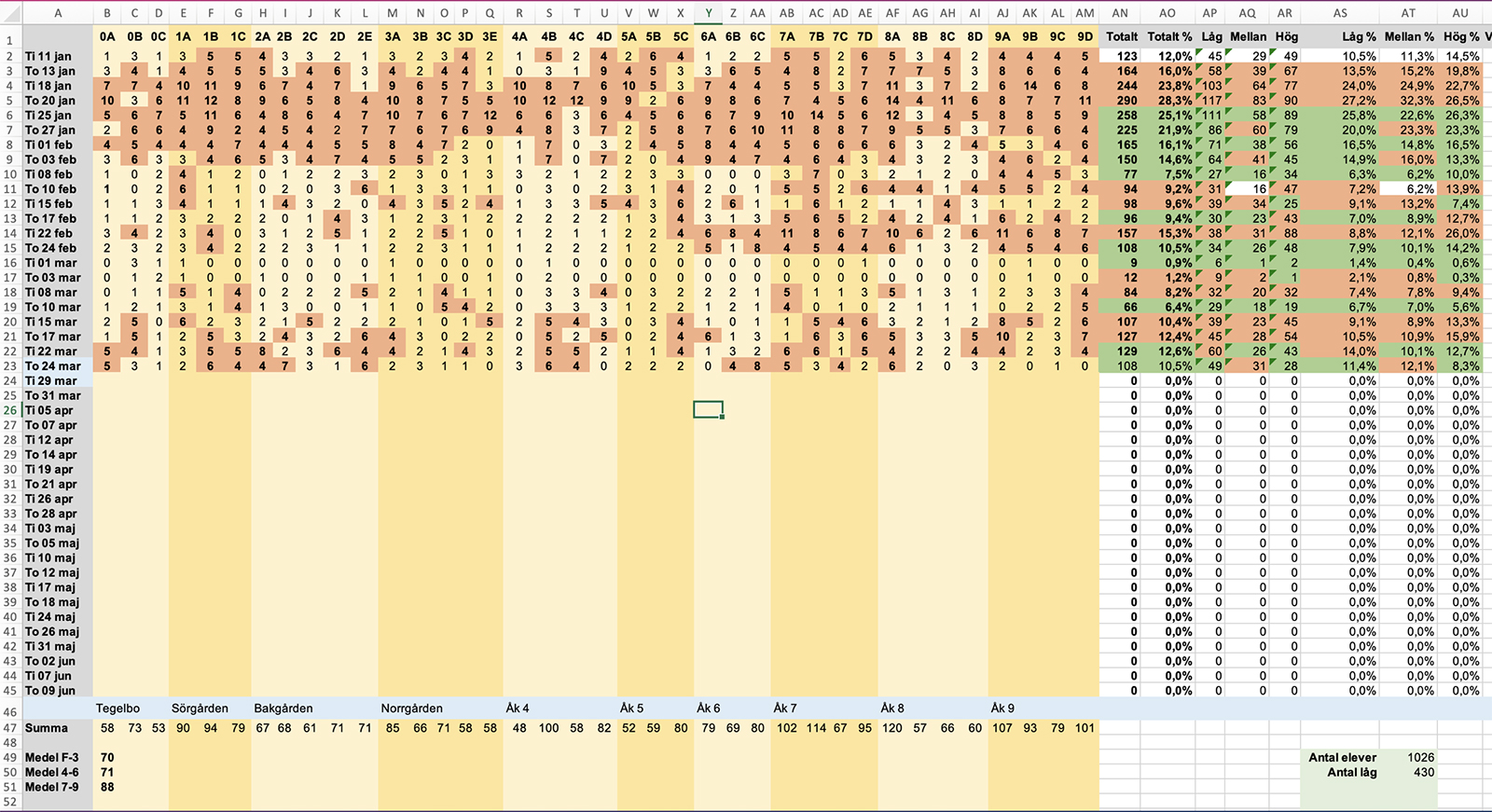 When it’s done a webpage that all staff have access to is updated. Here almost real-time statistics are presented with comparisons to yesterday and with graphs over time, such as the last 15 days and the whole school year to see trends. In addition, class information is shown, like number of students absent in each class today, but also totals for the school year.
This is what it looks like now, after automation, available to everyone in near real-time via any web browser
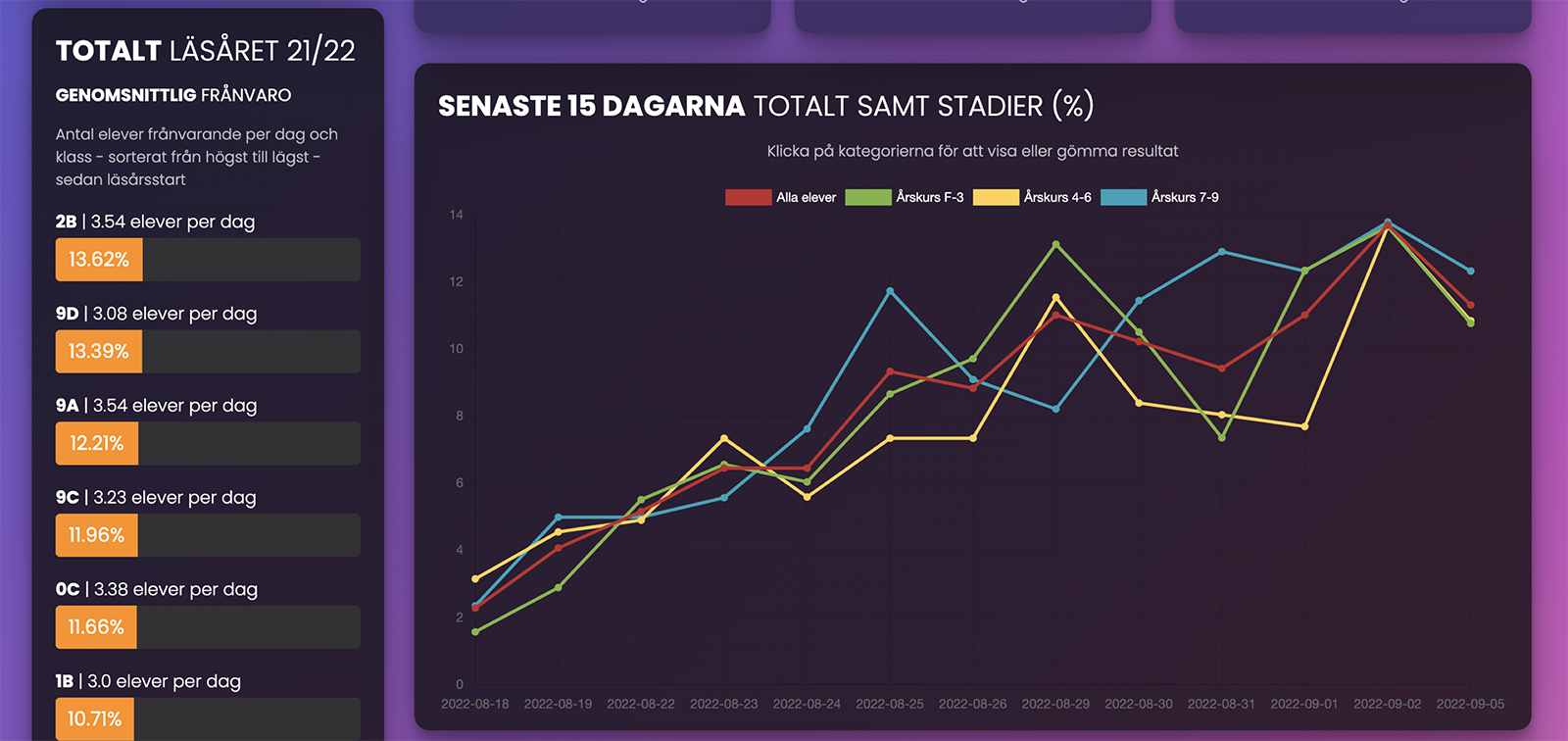

In the video below you can see how the script automatically logs in and fetches an absence report from Skolplattformen and then processes and generates statistics. This runs around the clock.
Extended functionality - allocation of internal resources
After a while the question came up whether I could add an extra part that also looked for certain students who have resource staff linked to them. If those students are absent, those resource staff can substitute, which saves money since we avoid bringing in external substitutes, and is also a win because that staff are known to the school.
So I coded that and when a student with resource staff linked to them appears in the absence report, a message is sent to MS Teams (via webhook) to the team that the substitute coordinator has access to.
Future extended functionality - special diets
Since I don’t have much time left at the school, I no longer develop this, but another request came from the kitchen asking if they could also get a “ping” about how many students on special diets are absent each morning. It’s obviously good for the kitchen to know how many students in total are absent, but because they prepare such large volumes—and don’t start preparing the same morning they are serving the food—total numbers don’t affect the number of portions they cook that much. However, special diets are something that would help them.
Future features?
Of course you could expand this even more, by including staff absence, creating an automated substitute management system based on data that can be controlled by how many students are absent in the different departments and even suggesting internal substitutes.
Similar automation can of course download current schedules for, for example, teachers and allocate substitutes in the optimal way. Another thing you could do is also plan certain “important” activities at certain times. At some times of the year there is more absence and at other times less. There is also a difference between days of the week when students are most absent, and that also differs between the autumn and spring terms.
How is this run — and does it work well?
This whole solution is based on the fact that this kind of basic functionality isn’t built into our systems — and there are no APIs either. I have an old laptop locked in a safe that runs the script around the clock. To get around the mandatory screensaver kicking in I also use an automation that raises and lowers the computer’s volume once a minute. :)
Everything runs flawlessly, but… when Google Chrome (the browser) automatically updates, you also have to download the latest version of Chromedriver.
What have I seen during this time? - Student absence is a major challenge
I’ve been tracking absence since before the pandemic and I’d say that absence will be a major issue across Sweden. After the pandemic absence has stayed at much higher levels than before. Problematic levels. It’s a whole different issue in itself, but it’s easy for us to get used to there constantly being 2–3 students absent in each class. That’s not normal. My advice is that all schools put this on the agenda and keep track of it — and try to get students back to school.
Want to run this yourself?
OBServera att detta är extremt tajt knutet till Skolplattformen i Stockholm. Det kommer inte att fungera någon annanstans.
If you’re interested in how it works you can of course download and look at the code. Code and instructions can be found on GitHub at github.com/mickekring/automatiserad_elevfranvaro.
Questions?
As usual, feel free to ask me questions, either in the comments here or on any platform.